WordPress 4.5 has just been officially released, named Coleman to honor the jazz musician Coleman Hawkins. We have a quick list of what’s in that release.
Site Logo
For experienced developers or power users, this feature might not seem like a big deal, but for a lot of users, the simple process of adding a logo hasnt always been an option.

You can now find the logo setting in Site Identity > Logo.
Responsive Preview Display
As of WordPress 4.5, youll have the ability to preview your website on different device screen sizes via the Customizer in your dashboard.
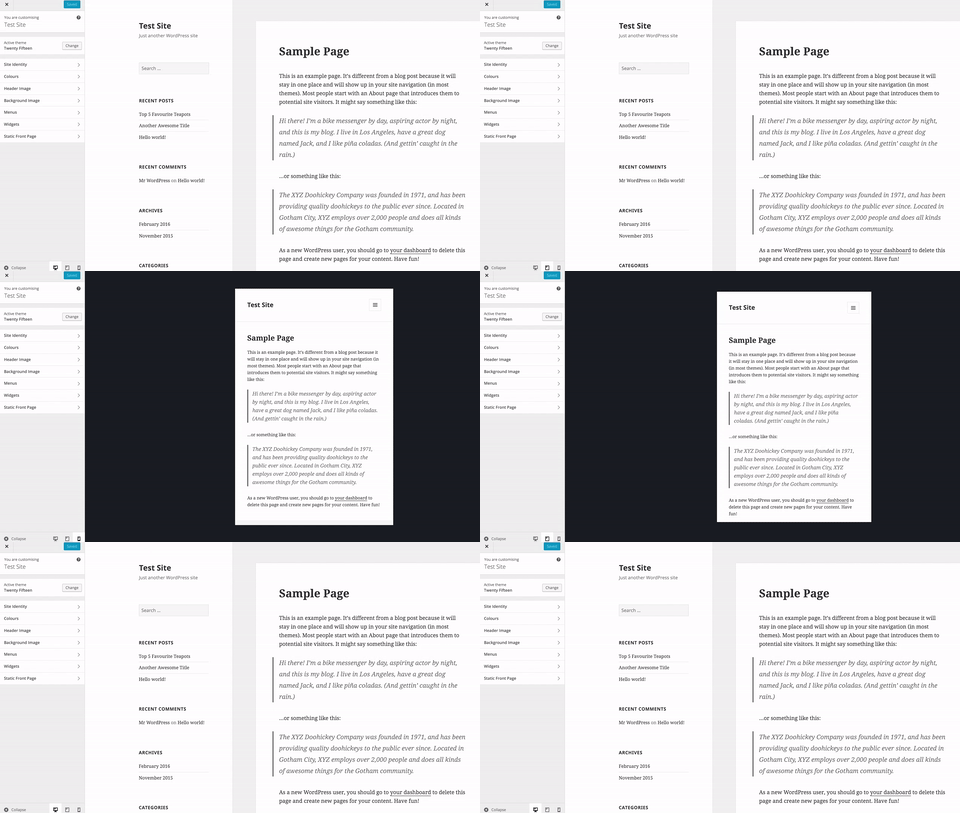
Previously, you may have used an extension, your browser developer tools, or even just resizing your window but now this handy feature is in easy reach in the customizer.
Inline Link Editing
The linking process within the Visual Editor for your pages and posts has been streamlined further. Now when you click the standard link button within the WYSIWYG editor, a field will now automatically appear below the text to allow you to either paste the link or search for the link on your site.

If you wanted to bring up the old link screen functionality that used to appear when you clicked this button, simply hit the cog icon.
New Shortcuts
If you write a lot of content inside of WordPress, there are a few new handy shortcuts will help further streamline your writing:
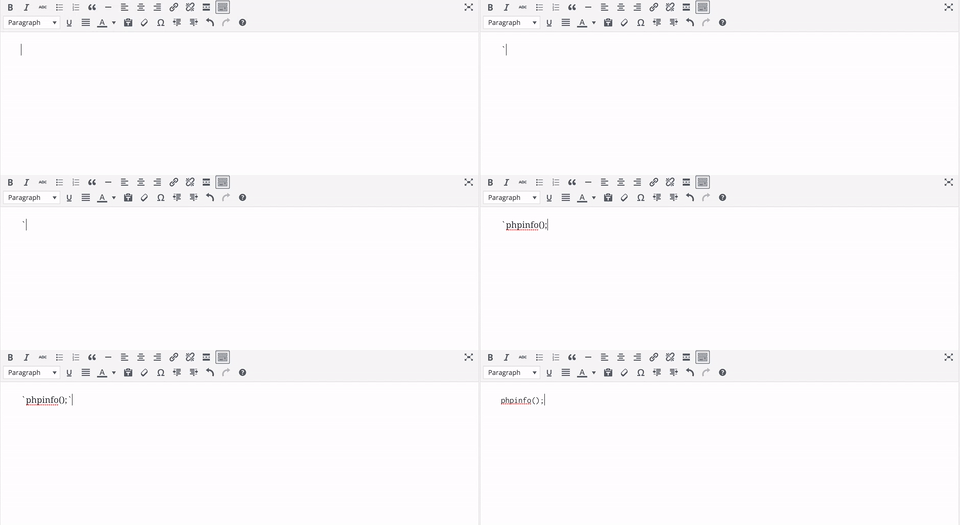
` a backtick before and after the content to display code
for a horizontal rule
Heres what using the backtick to insert code looks like:
Comment Moderation Improvement
WordPress 4.5 features a refreshed comment moderation screen styling to make it easier to manage comments. Comments can also now be viewed in an editor.
Image Optimization Improvements
Image optimisation has been enhanced even further to create up to 50% smaller files while retaining the image quality.
Login as Username and Email
As of 4.5, you can now login by username and email. You could always use your email address as a username, but now the login accepts your account email address and username. It will come in handy, users are much less likely to forget their email address!
Developer Features WordPress 4.5
There are also a few new features for developers:
- JavaScript Library Updates (jQuery 1.12.3, jQuery Migrate 1.4.0, Backbone 1.2.3, and Underscore 1.8.3)
- Embedded Templates
- Term Edit Page Changes (the addition of
wp admin/term.php) - Selective Refresh
The WordPress 4.5 Field Guide has a detailed list of all of the recent changes relevant for developers, as well as some lively discussions.
More wordpress updates: